Your artwork is ready.
Your product files are prepared.

Organize your product files, prepare separate listing drafts for different destinations, and download a ready-to-review ZIP—so you can move into manual publishing with everything together.
You’ve done the creative work. Now give yourself a simpler way to handle the next step. EtsyDynasty AI Multi-Platform Listing Export Studio brings your listing copy, preview images, and product files into one saved workspace.
Your product files are prepared.
Searching for the right preview image, copying descriptions between tabs, and checking which files belong with which listing.
Another needs different instructions. And a finished product becomes another unfinished task.
EtsyDynasty AI Multi-Platform Listing Export Studio helps you prepare your materials for manual publishing on Etsy, Shopify, Gumroad, your own store, and Pinterest.
Keep a separate draft for each destination. Review your details. Download your package. Then upload or paste the appropriate materials directly into your chosen platform. You stay in control of what gets published—and when.
Adapt your titles, descriptions, tags, prices, and usage instructions without overwriting your other versions.
Upload your preview images and deliverable files to private storage within your project.
Bring existing listing details into your preparation workflow and adjust them for the destination.
Readiness checks flag required details and files that still need attention.
Export your uploaded files, listing draft, and manual publishing checklist together.
Reopen projects, make changes, and keep track of publication you confirm yourself.
Watch how to create a project, prepare a destination-specific draft, upload your files, and download your publishing package.
Separate Listing Drafts · Private File Storage · ZIP Downloads · Manual Publishing Checklists
Give your finished products an organized place to move from preparation to manual publishing.
YES! Add Listing Export Studio to My Account →
You’ve chosen the artwork. Checked the files. Worked on the description.
Then comes the part that breaks your momentum.
Finding the right preview image. Copying your listing details. Adjusting the description for another destination. Checking what you’ve missed.
“Which files belong with this product?”
“Did I update this description—or the other version?”
“Where did I leave that unfinished listing?”
What looked like one final task becomes several small jobs scattered across folders and tabs.
So you leave it for tomorrow. Your finished product stays in its folder, waiting for the preparation you haven’t quite completed.
EtsyDynasty AI Multi-Platform Listing Export Studio brings your listing drafts, preview images, and product files together in one saved workspace.
Prepare your materials, review what’s missing, and download a ZIP package to use when you publish manually.
Keep destination-specific listing details together so you can adjust one version without overwriting another.
Store your actual product files and preview images with the project. Download them alongside your listing draft and publishing checklist.
Save your project, return when you’re ready, and continue preparing it without gathering everything from scratch.
Start with one product and one destination. Check your details, export your package, and use it to complete your listing directly on that platform.
Less time gathering everything. A clearer path to your next manual upload.
Export Studio prepares your materials; you upload files, enter listing details, and publish directly on the destination platform. Account requirements, product eligibility, and platform fees still apply.
Your product files are ready. Your artwork is chosen. You’ve put thought into explaining what buyers will receive.
That work can become the starting point for another destination-specific listing draft.
You may need different wording, instructions, or presentation—but you shouldn’t have to gather everything again each time.
EtsyDynasty AI Multi-Platform Listing Export Studio helps you organize your existing materials and prepare separate drafts for Etsy, Shopify, Gumroad, your own store, and Pinterest.
Adapt your copy, review your files, and export a package for the manual publishing step.
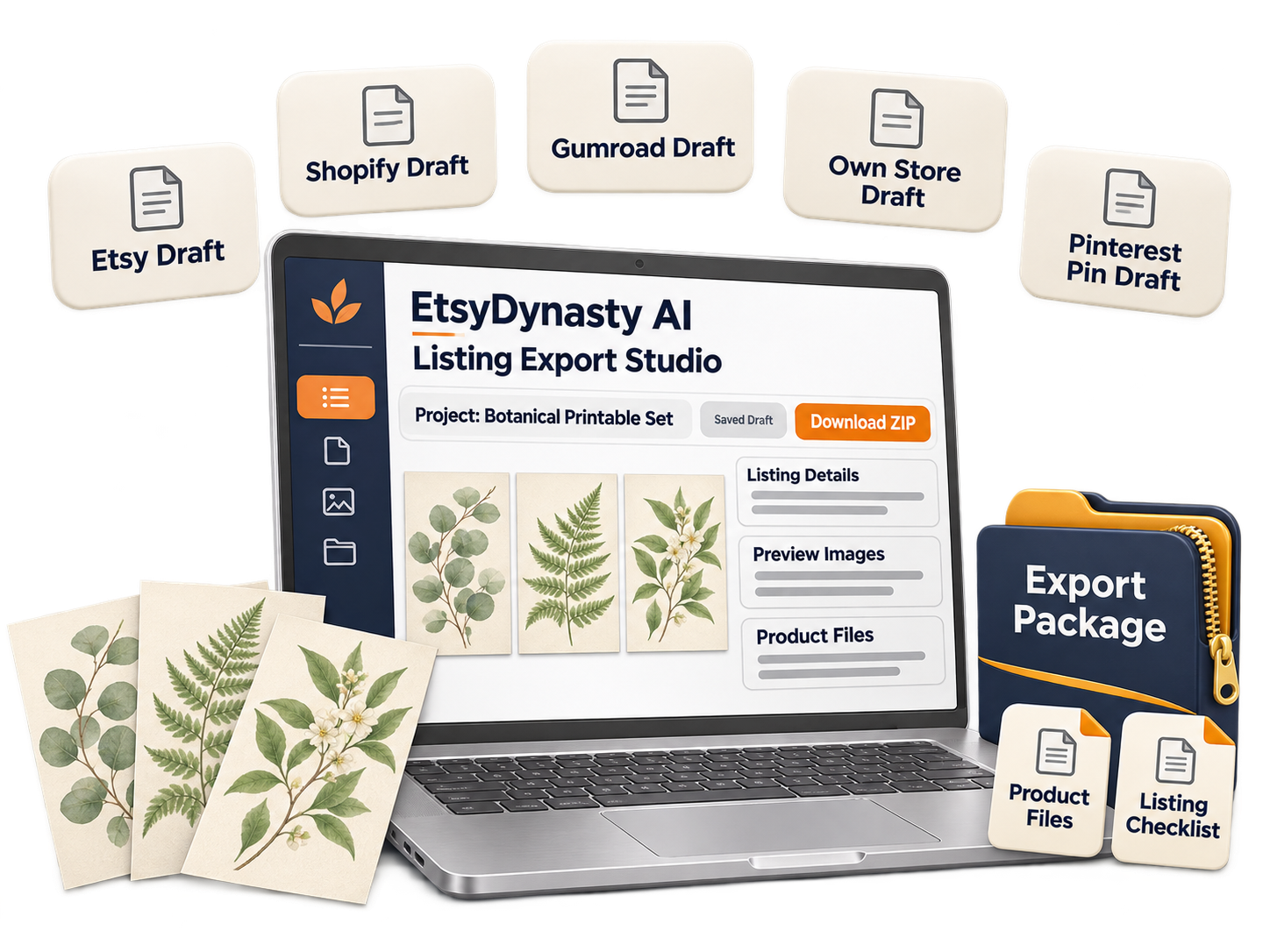
Choose an existing product and bring its files and preview images into a saved project. Check that the product is suitable for your intended destination.
Build on your saved listing copy and adjust the title, description, price, tags, and usage instructions where appropriate.
Prepare different wording without overwriting your other drafts. Make sure each version accurately describes your product and how buyers will receive or use it.
Download your uploaded files, listing draft, and manual publishing checklist together. Use those materials when creating your listing directly on the destination platform.
One existing product. One additional destination. One organized draft at a time.
Save your progress and return when it fits your schedule. You decide where your product belongs—and when you’re ready to publish it.
Export Studio prepares drafts and downloadable packages. It does not connect to accounts or automatically publish. Each destination has its own requirements; Pinterest preparation is for a promotional pin rather than a storefront listing.

Expanding beyond your first storefront can feel like taking on another business.
Another dashboard. Different listing requirements. More files, descriptions, and decisions to keep track of.
When the next step feels too big, it’s easy to keep putting it off.
Choose one product you’ve already prepared. Pick a suitable destination. Create a listing draft you can review and return to.
EtsyDynasty AI Multi-Platform Listing Export Studio gives that preparation a home—with your destination-specific copy, preview images, and product files organized together. You don’t have to prepare every destination at once.
Start with checked files and accurate product details. Upload your deliverable files and preview images to your project.
Choose the relevant draft tab and review whether that destination suits your product. Check its requirements before preparing your listing.
Adapt your title, description, price, tags, and usage instructions where appropriate. Keep this version separate from your other destination drafts.
Save your progress, use the readiness checks to spot missing essentials, and download your ZIP package when you’re ready to publish manually.
You don’t have to finish everything in one sitting. Prepare one draft today. Return to it tomorrow. Take the publishing step when you’re ready.
Export Studio prepares listing materials for manual use. You create and publish the listing directly on your chosen platform; it does not connect to accounts or publish automatically.
You’ve put care into creating your product. Carry that care into how you present it.
A description that works for one storefront may need different wording elsewhere. Preview requirements can vary. Buyers may need clearer information about file formats, downloads, or usage.
Reusing your work is helpful. Having a separate version you can review and refine is even better.
EtsyDynasty AI Multi-Platform Listing Export Studio keeps destination-specific drafts within your saved project. Adjust your listing details, organize your files, and review the essentials before downloading your package for manual publishing.

Explain exactly what buyers receive—including file formats, quantities, dimensions, and intended use. Update each draft where the destination needs different information.
Upload images that clearly show what you’re offering. Check the destination’s image requirements and resize your previews separately if needed.
Check filenames and versions before exporting. Your ZIP contains the actual files you uploaded, so review those files as carefully as your listing copy.
Would someone understand what they’re purchasing, how they receive it, and how to use it? Clarify anything that could leave them guessing.
Export Studio can flag missing required fields and files. You make the final decisions about accuracy, presentation, and suitability for the destination.
Save each version. Review it with confidence. Export when your preparation is complete.

You chose the idea. Created the design. Prepared the files.
Before you start another product, consider where your existing work could fit next.
Preparing it for another destination can feel like a new project: finding images, gathering files, rewriting details, and remembering where you stopped.
So you put it off—and the product stays in a folder marked “upload later.”
EtsyDynasty AI Multi-Platform Listing Export Studio gives you a workspace to prepare your existing product for another suitable destination. Bring together your files, adapt your listing copy, save your progress, and download a package you can use when publishing manually.
Use your existing product files and prepared listing details as a starting point. Adjust the presentation for the destination you choose.
Create a destination-specific draft you can use to publish an additional listing or promotional pin yourself. Discovery depends on the platform, your product, and your marketing.
Work on one product and one destination at a time. Save your project and return when you’re ready to finish.
Review your previews, files, and descriptions before exporting. Make sure they accurately represent what you plan to offer.
Gather it once. Keep your drafts organized. Move forward when you’re ready.
You don’t need to launch everywhere—or manage several shops—to make progress.
Maybe you’re preparing your first collection. Maybe you already have products listed, but gathering everything for another destination feels like more work than you can take on.
Start with a smaller question:
“Would having my listing details and product files organized make my next upload easier?”
EtsyDynasty AI Multi-Platform Listing Export Studio is an optional upgrade for that preparation. Use it for one destination first. Keep your drafts and files together. Explore another channel when it makes sense for your product and schedule.

Choose something you’ve checked carefully. Bring its product files, preview images, and listing details into a saved project.
Focus on a suitable destination. Adapt your draft and review its requirements without needing to complete every available tab.
Work on your preparation now and return later. Saving a draft or downloading a ZIP does not submit anything to a marketplace.
Consider account requirements, fees, and customer support before adding another storefront. Let your experience guide your next step.
If you’re still creating your first product, you can continue with your existing tools. If organizing files and preparing listings is becoming the task you keep postponing, Export Studio gives that work a clear place to happen.
You remain responsible for reviewing requirements and publishing directly on each destination platform.
You’ve put time into creating your products. Preparing them for another destination shouldn’t mean gathering every file and rewriting every detail from scratch.
Bring your listing drafts, preview images, and product files together—with EtsyDynasty AI Multi-Platform Listing Export Studio.
Prepare separate destination drafts, check for missing essentials, and download your materials in an organized ZIP for manual publishing.
Bring your existing files and saved listing copy into a project you can review and refine.
Keep separate drafts for Etsy, Shopify, Gumroad, your own store, and Pinterest promotional pins.
Store your uploaded files privately and export them alongside your listing draft and manual publishing checklist.
Save your projects, reopen them, and make changes before taking the next step directly on your chosen platform.
Includes your 30-day money-back guarantee. One payment for this upgrade. Your marketplace accounts, platform fees, and seller responsibilities remain separate.
YES! Add Listing Export Studio to My Account — $57.95 →You should know what you’re adding to your account—and whether it fits the way you want to work. Here are the answers to the questions you may be asking.
✎ Tap a question to open the answer
It’s an optional upgrade that organizes your listing drafts, preview images, and product files in one saved workspace. Prepare separate destination drafts, check for missing essentials, and download a ZIP package for manual publishing.
No. You download your prepared materials, then upload files and enter listing details directly on your chosen platform. Export Studio does not connect to marketplace accounts or publish on your behalf.
You can prepare separate drafts for Etsy, Shopify, Gumroad, your own store, and Pinterest. Pinterest drafts are for promotional pins, rather than storefront listings. Each destination has its own requirements.
No. Start with one product and one destination. You can save your progress and prepare other versions whenever you’re ready.
Yes. Upload your existing product files and preview images, and bring saved listing copy into your project. Review and adapt the details for each destination before exporting.
Your export package includes your uploaded product files and preview images, the selected destination’s listing draft, and a manual publishing checklist. It packages the actual files you supplied.
Yes. Save your project, reopen it, update its details or files, and export a revised package. Each destination’s draft stays separate so you can adjust one version without overwriting the others.
Readiness checks flag missing required details and files. You still need to review accuracy, file quality, image dimensions, product eligibility, and the destination’s current requirements. These checks do not guarantee marketplace approval.
Yes. $57.95 is a one-time payment for this optional upgrade. Marketplace accounts, listing fees, transaction fees, and other third-party charges are separate. Other EtsyDynasty AI upgrades are not included.
Your purchase is backed by a 30-day money-back guarantee. Try the preparation and export workflow with your own products. If it isn’t right for you, contact support within 30 days of purchase to request a refund.

You’ve seen what EtsyDynasty AI Multi-Platform Listing Export Studio can do. Now give yourself time to see how it works with your products, your files, and your way of working.
Choose a product you’ve already created. Prepare its listing draft. Upload your files. Save the project, reopen it, and download your export package.
Does it make your preparation easier to manage? Can you find what you need and pick up where you left off?
Those are questions you can answer by using it.
If you decide the upgrade isn’t right for you, contact our support team within 30 days of purchase to request a full refund of your upgrade payment.
You don’t need to open another storefront or make a sale to evaluate it. Start with one project and see whether the workflow suits you.
One product. A practical test. Time to decide.
Get Listing Export Studio for $57.95 One Time—with a 30-Day Money-Back Guarantee.
You don’t need another collection to start making progress.
Choose one existing product. Gather its files, adapt its listing details, and save everything in a project you can return to.
EtsyDynasty AI Multi-Platform Listing Export Studio gives that preparation a clear home—so “I’ll organize it later” can become a draft you’re ready to review.
If you’re tired of searching through folders and keeping track of different listing versions, this upgrade brings those materials together.
Separate destination drafts. Private file storage. Readiness checks. Downloadable ZIP packages.
Your upgrade is $57.95 one time , with a planned regular price of $97 . And your 30-day money-back guarantee gives you time to try the workflow with your own products.
Start with one product and one destination. Save your draft. Review your files. Export when you’re ready. Then complete the upload and publishing steps directly on your chosen platform.
You decide what to offer, where it belongs, and when to publish it.
Get EtsyDynasty AI Multi-Platform Listing Export Studio for $57.95 One Time.
YES! Add Listing Export Studio to My Account — $57.95 →One-Time Upgrade Payment · 30-Day Money-Back Guarantee
No Thanks, I Want To See AI Agency Enterprise — 10 SeatsExport Studio prepares drafts and downloadable files for manual publishing. It does not connect to marketplace accounts, automatically publish, or guarantee sales.