TurnYourWords,Themes,andIdeasIntoPrintableGamesPeople Can Gather Around.
Create Custom Word Searches, Bingo Cards, and Matching Games—with Live Previews, Printable PDFs, and Answer Keys Where Applicable.
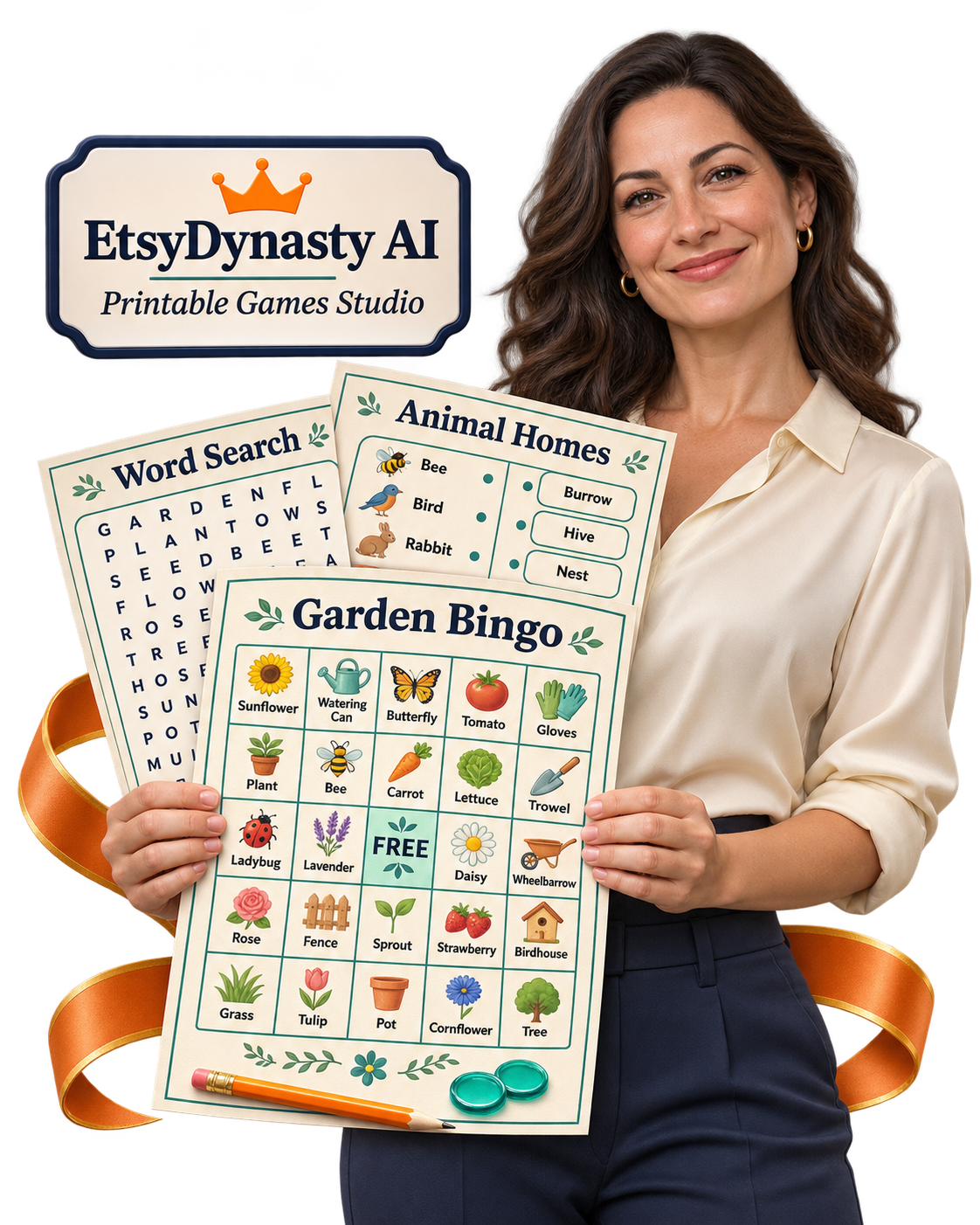
A garden-themed word search. A bingo game for a family gathering. A matching activity built around words and meanings you choose.
You have the theme in mind. Now give it a playable format.
EtsyDynasty AI Printable Games Studio helps you turn your supplied words, terms, and matching pairs into structured printable activities—then personalize, preview, save, and download your work. Start with one game. Give it a clear purpose. Create something you can print, check, and prepare for your next product or event.
Watch Your Game Idea Become a Printable Activity.
See how to choose a game type, enter your content, personalize the pages, review the puzzle and supporting materials, and download the finished files.
Bring the Idea. Give the Game Your Own Personality.
Creating a printable game involves more than putting a title above a page.
A word search needs its words placed correctly.
Every word has to fit the grid — and the solution page has to match.
Bingo cards need variety.
Each card should feel distinct, with a free center and a caller list that works.
A matching game needs a matching key.
The answer key has to correspond to the shuffled choices.
Then come the presentation details: the heading, colors, typography, instructions, and downloadable files.
Printable Games Studio brings those steps into one focused workspace, so you can spend more attention on the theme and experience you want to create.
Three Game Types. Plenty of Ways to Make Them Yours.
Word Searches Built From Your Own Word List
Enter your words and create a puzzle with a corresponding solution page. Adjust the available grid and variation settings to explore a different arrangement.
Bingo Cards Built Around Your Chosen Terms
Create distinct cards using your supplied terms, with a free center and a caller list. Shape the theme around your gathering, activity, or intended audience.
Matching Games With Corresponding Answer Keys
Supply your prompts and matching answers. The studio arranges the activity with shuffled answer choices and a key for checking the results.
Make the Finished Pages Feel Like Your Product.
Personalize the Presentation
Add your title and subtitle, then choose from the available colors and typography options to bring the pages together.
Preview Before You Download
Review the activity pages and supporting pages in the live preview. Check the wording, layout, and readability as you work.
Choose A4 or US Letter
Prepare your game in the supported paper size that suits your intended use.
Download Printable PDFs and Complete ZIP Packages
Export a PDF for printing, or download the ZIP containing the PDF, SVG pages, and editable project JSON.
Save Your Projects and Return Later
Reopen a saved game, revise your content or styling, and export an updated version.
Create Without Using AI Generation Credits
These game-building features use structured generators and your supplied content. They require no Gemini key and consume no AI generation credits.
Make Your Next Printable Something People Can Play.
You choose the content and the audience. Printable Games Studio helps you arrange that content into pages you can review, print, and use. Whether you’re preparing an activity for a gathering or developing a printable product, you can begin with one focused idea—and leave with files you can actually inspect.
Add EtsyDynasty AI Printable Games Studio for $47.95 One Time
The Game Idea Is the Fun Part. Building Every Grid and Answer Sheet Can Be What Holds It Up.
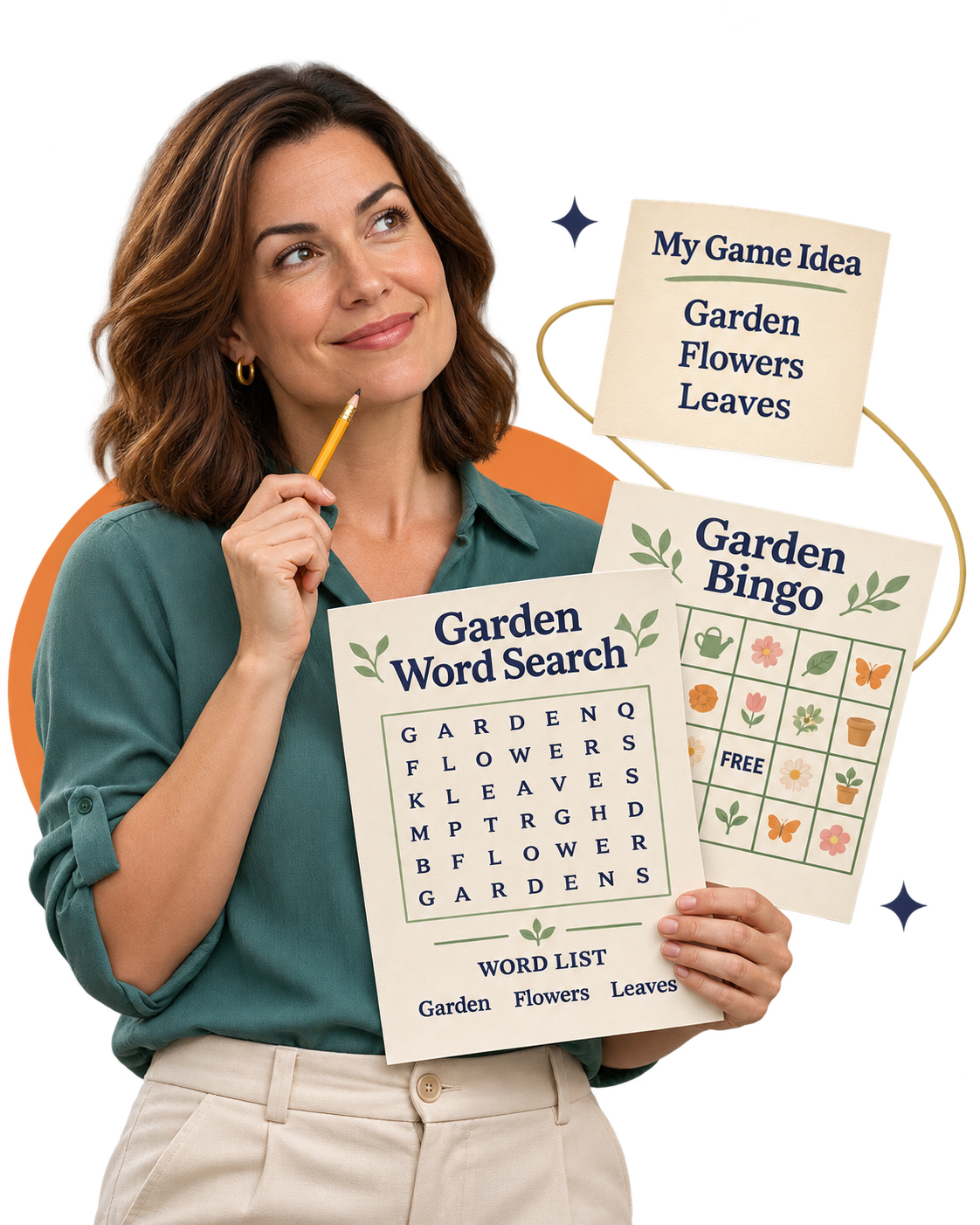
You know the theme you want to use.
A word search for garden lovers. Bingo for a family gathering. A matching activity that helps someone practice new vocabulary. You can picture the finished pages.
Then you start thinking about the work behind them.
“How will I arrange the words?”
“Will the bingo cards be different?”
“Will the answer key still match after I shuffle the choices?”
Suddenly, a simple activity becomes a collection of small tasks you have to get right.
Give Your Idea a Structure You Can Build On.
EtsyDynasty AI Printable Games Studio turns your supplied content into organized game layouts, with the supporting pages appropriate to each game. You choose the words, terms, or matching pairs. The studio handles their arrangement, giving you a printable starting point to personalize and review.
Put Your Words Into a Searchable Puzzle.
Enter your word list and generate a word-search layout with a corresponding solution page. Focus on choosing words that fit your theme while the studio handles their placement.
Give Bingo Players Different Cards.
Use your chosen terms to create distinct bingo cards with a free center and a caller list. Build an activity around your theme with the materials you need to run it.
Keep Matching Activities and Answers Together.
Supply your prompts and matching answers. The studio shuffles the answer choices and creates the corresponding answer key.
Bring the Pages Together Visually.
Add your title and subtitle, choose the available colors and typography, and inspect the live preview before downloading your PDF or complete ZIP.
Spend More of Your Attention on What Makes the Game Worth Playing.
The theme. The word choices. The clarity of the instructions. The person who will sit down with the page. Start with one activity you’d like to create—and give yourself a practical way to finish it.
Review every game and its supporting pages, and make a test print before sharing or selling.
One Theme. Three Different Ways to Bring People Into the Game.
Think about a theme you know well.
Gardening. Animals. Food. Travel. A seasonal celebration.
Now imagine giving people different ways to enjoy it: finding its words in a puzzle, listening for them during bingo, or matching them to their meanings.
EtsyDynasty AI Printable Games Studio gives you three activity formats to explore with content you supply. Choose the format that fits your audience—or create separate games around a shared theme.
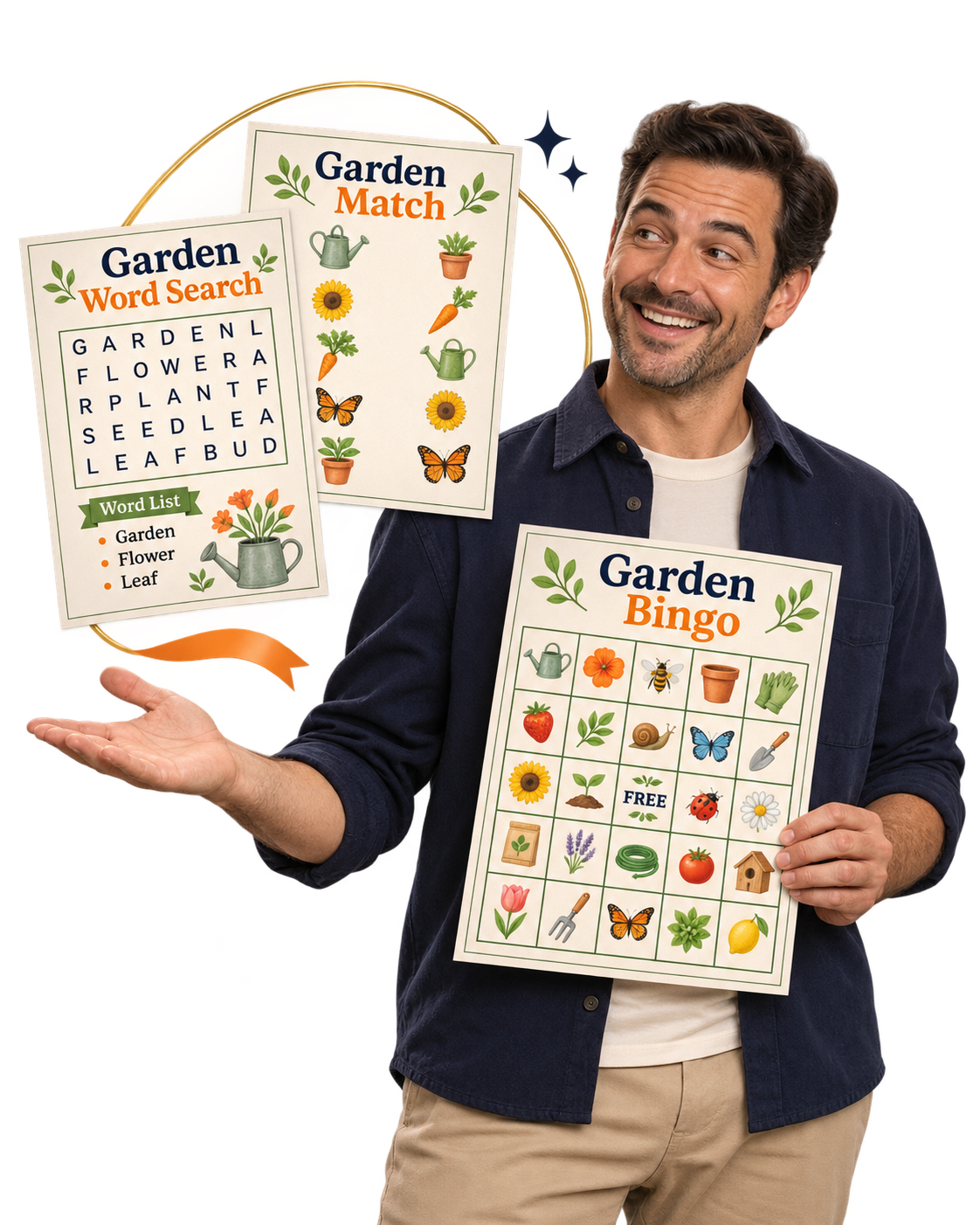
Word Searches for a Quiet Challenge.
Turn a themed word list into a puzzle people can work through at their own pace. Create a garden word search with words such as FLOWER, SEED, LEAF, and ROOT, then review the puzzle alongside its solution page.
Bingo for a Shared Moment.
Use your chosen terms to prepare distinct bingo cards with a free center and a caller list. Build the theme around a gathering or group activity, then review and print the materials before play.
Matching Games for Making Connections.
Enter related prompts and answers—animals and their habitats, words and their definitions, objects and their uses. The studio shuffles the answer choices and produces a corresponding answer key.
Give Each Game a Look That Fits the Theme.
Use the available title, subtitle, color, and typography controls to bring your pages together visually. A garden word search and garden bingo game can share a similar style while offering different activities. Save each project separately, review its pages, and export it when you’re ready.
Start With the Experience You Want Someone to Have.
A quiet puzzle break. A friendly group game. A matching challenge. Choose one theme, pick the format that fits, and create your first playable draft.
You supply the game content and review its accuracy, readability, and suitability for your audience. Word searches currently support A–Z words. Each game project exports separately.
Make the Game Fit Your Idea— From the First Word to the Finished Page.
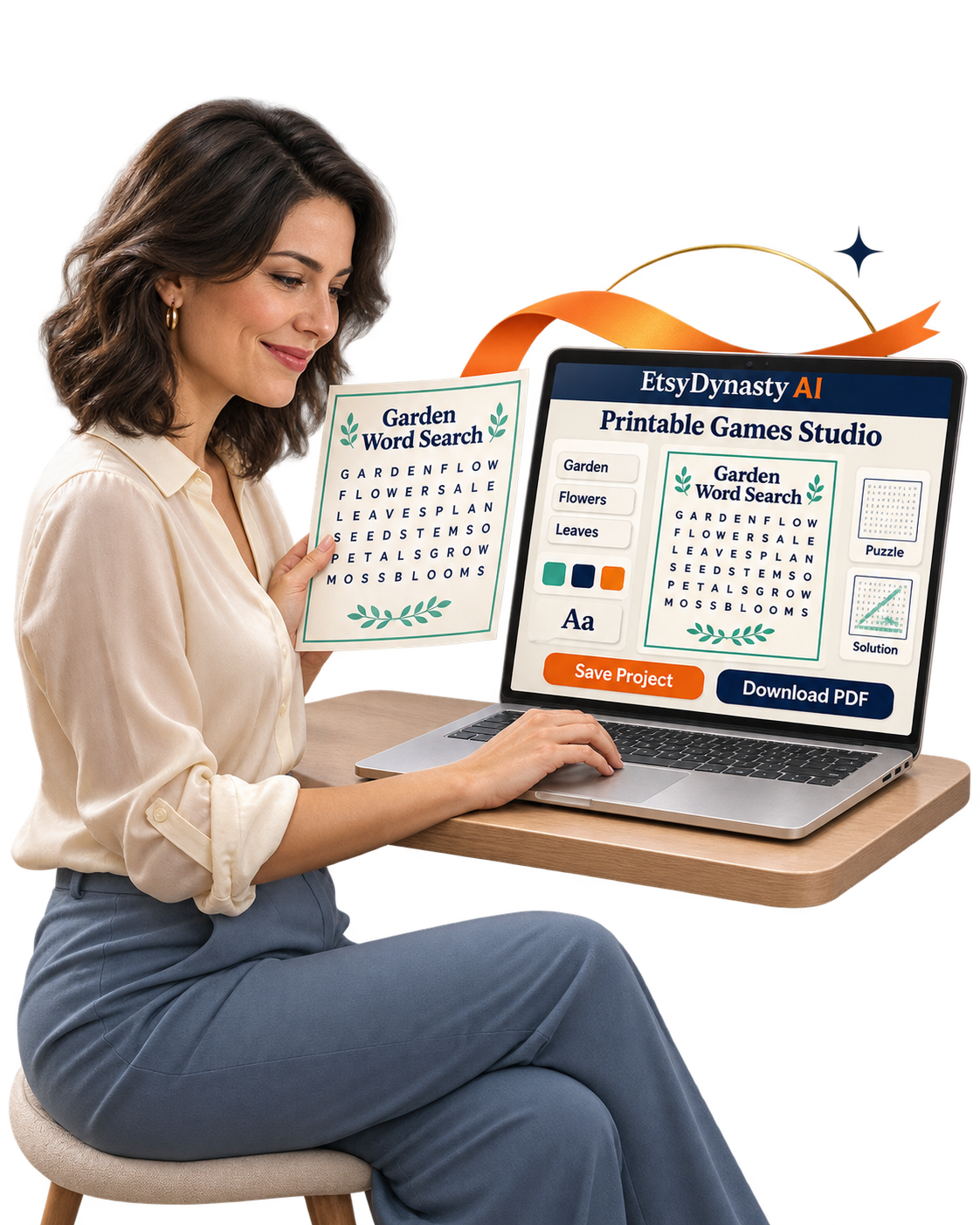
A good theme gives you a starting point. Your choices give the activity its personality.
The words you include. The title that welcomes players. The colors and typography that bring the pages together.
With EtsyDynasty AI Printable Games Studio, you can build around your own content and see how it looks before downloading.
A Clear Path, One Step at a Time.
Choose How You Want People to Play.
Start with a word search, bingo game, or matching activity. Think about the experience: an individual puzzle, a shared group game, or an exercise in making connections.
Add Content That Belongs to Your Theme.
Enter your word list, bingo terms, or matching prompts and answers. You decide what goes into the game. Keep the vocabulary and subject matter appropriate for your intended players.
Give the Pages a Consistent Look.
Personalize your title and subtitle. Choose from the available colors and typography, then select A4 or US Letter.
Review More Than the Front Page.
Move through the live preview to inspect the game and its supporting pages: puzzle and solution, bingo cards and caller list, or matching activity and answer key.
Save Your Project and Download Your Files.
Save your work so you can reopen it later. Download the printable PDF, or choose the complete ZIP with the PDF, SVG pages, and editable project JSON.
Your Idea. Your Content. A Clear Path to a Printable Game.
You don’t have to solve every layout decision at once. Choose the format, add your content, personalize the presentation, and work through the preview—one step at a time.
The Game Gets Their Attention. The Supporting Pages Help Them Enjoy It.
Imagine someone sitting down with the activity you created. They’re ready to find the words, mark their bingo card, or work through the matching pairs.
Then comes a question:
“Where do I check my answers?”
“What does the bingo caller use?”
“Which answer belongs with this prompt?”
A thoughtfully prepared printable includes the pages that help people use it.
EtsyDynasty AI Printable Games Studio creates supporting materials appropriate to your selected game—so you can review the activity and its companion pages together.
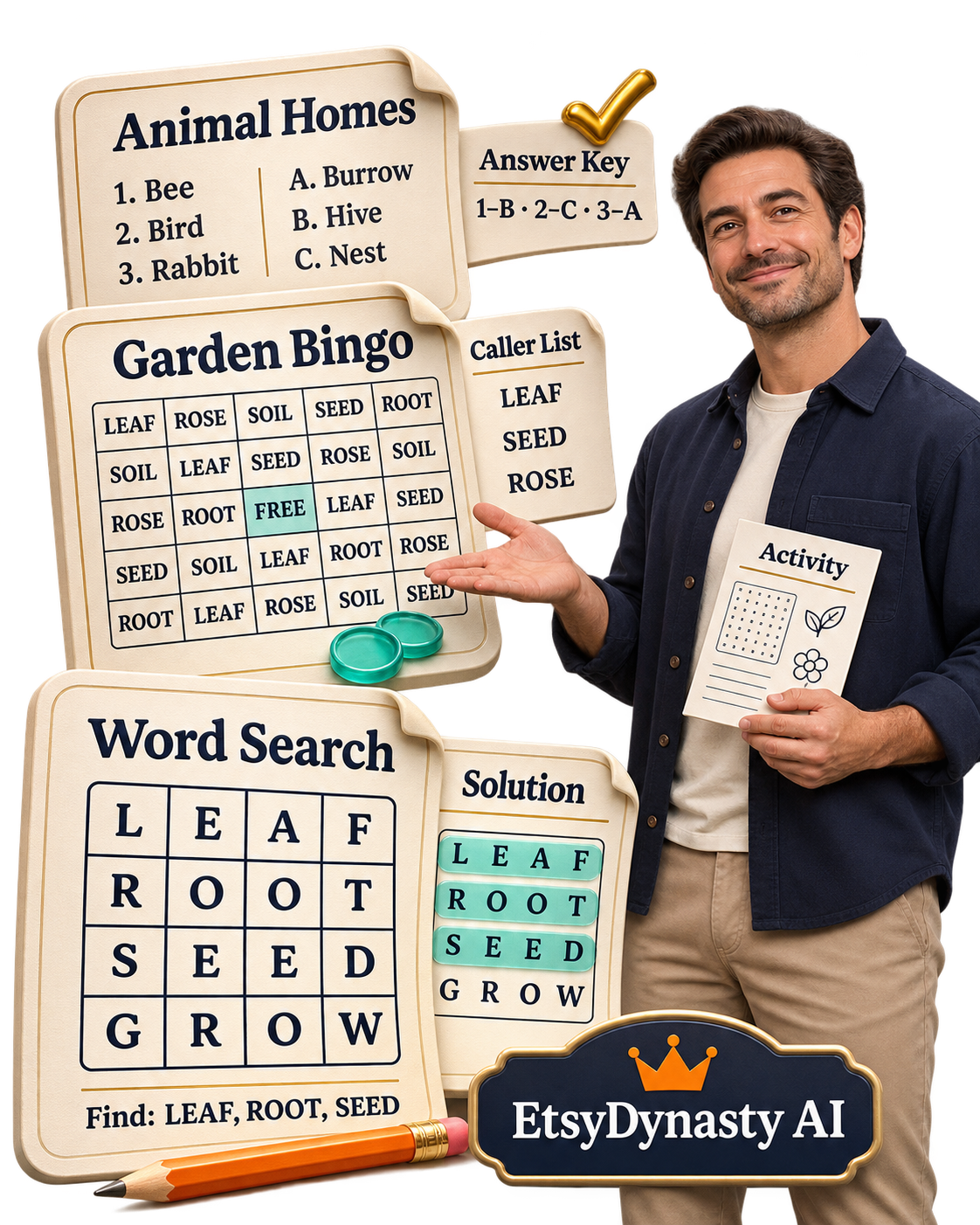
A Word Search With a Way to Check the Solution.
Create your puzzle from the words you supply, with a corresponding solution page showing their placements. A Garden Word Search could include FLOWER, LEAF, ROOT, and SEED.
Bingo Cards With a Caller List.
Prepare distinct bingo cards using your chosen terms, with a free center and a caller list. For Garden Bingo, your terms might include watering can, sunflower, greenhouse, and seedling.
A Matching Activity With Its Answer Key.
Supply your prompts and answers, then review the shuffled activity alongside its key. An Animal Homes game might pair a bee with a hive, a bird with a nest, and a rabbit with a burrow.
Review the Experience From Both Sides.
Look at the pages as a player: is the text readable, is the task clear? Then look at them as the person running the activity: are the supporting pages easy to follow, are your supplied answers accurate? Preview the pages, download the files, and try the activity yourself before sharing it.
Make Something You’d Feel Confident Handing to Someone Else.
A clear activity. The right supporting pages. A presentation you’ve taken time to check. That’s a practical foundation for your next printable game.
Your First Download Doesn’t Have to Be the Last Version.
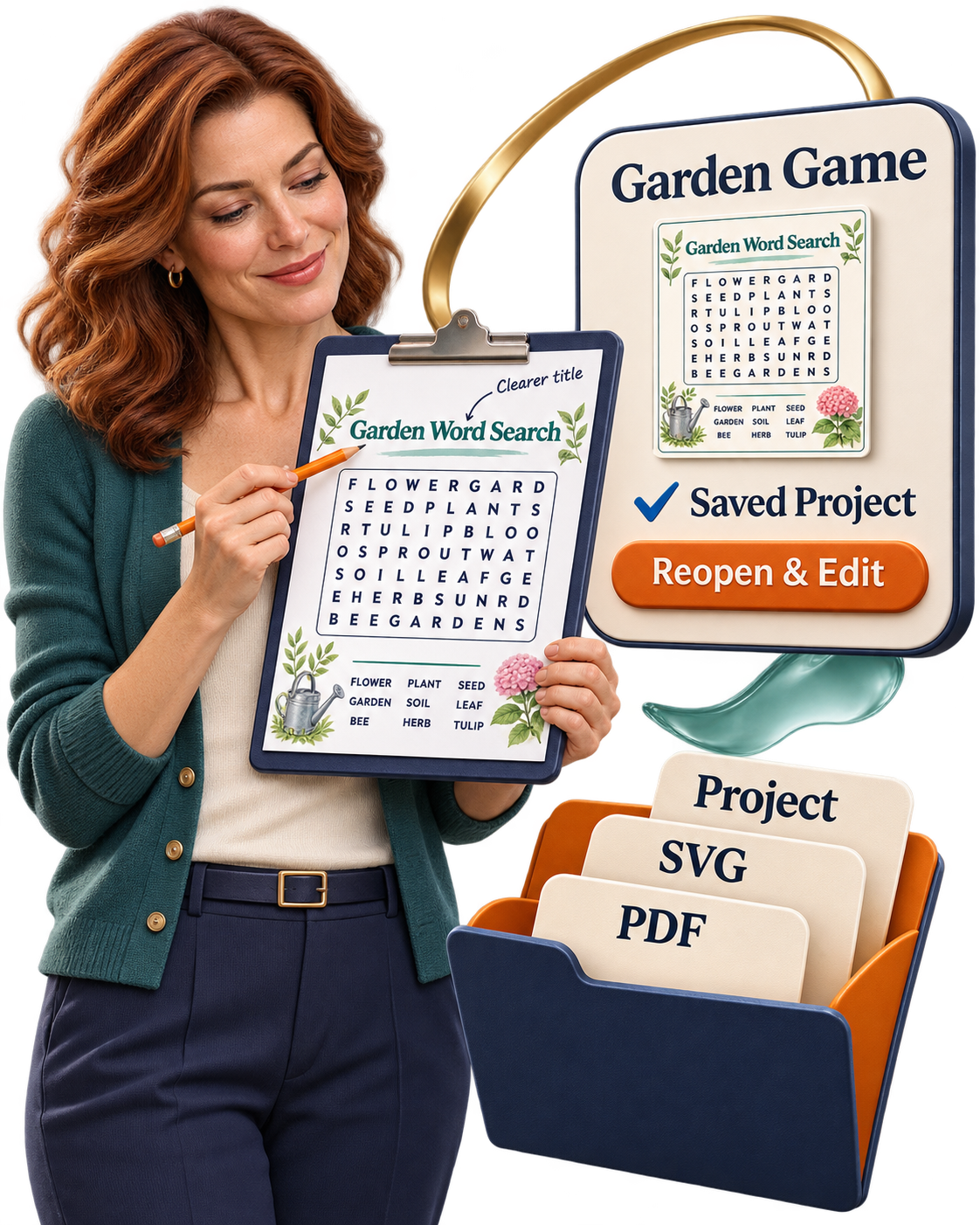
You print the game—and notice one word you’d like to change.
Maybe the title could be clearer. A matching prompt needs better wording. Or a different color would suit the theme.
Those small improvements are part of creating something you’re proud to share.
EtsyDynasty AI Printable Games Studio lets you save your project, reopen it, and keep refining it.
Save the Work You’ve Already Put In.
Keep your game as a saved project so you can return to its content and available settings. Step away when you need to. Continue when you’re ready.
Make Changes After a Real Test.
Print a sample and try the activity yourself. Check whether the words are readable, the prompts make sense, and the supporting pages are easy to follow. Then reopen the project and adjust what needs attention.
Explore Another Word-Search Arrangement.
For word searches, use the available variation control to rearrange the same supplied words. Preview the new puzzle and its solution before exporting.
Keep Your Printable Files and Editable Project Together.
Download the complete ZIP containing the PDF, SVG pages, and editable project JSON. Keep the project file so you can import it back into the studio for further editing.
Build a Game You Can Improve With Experience.
A clearer instruction. A better word choice. A more readable page. Save your progress, test your activity, and give yourself the freedom to make it better.
“I’ve Never Created a Printable Game Before.” Start With a Theme You Know.
You don’t need a collection of finished puzzles to begin.
Maybe you enjoy gardening. Know plenty about animals. Or have a family gathering coming up that could use a simple activity. That knowledge gives you a starting point: words, terms, or matching pairs you can supply.
EtsyDynasty AI Printable Games Studio provides the game structure, so you can focus on choosing content that makes sense for your players.
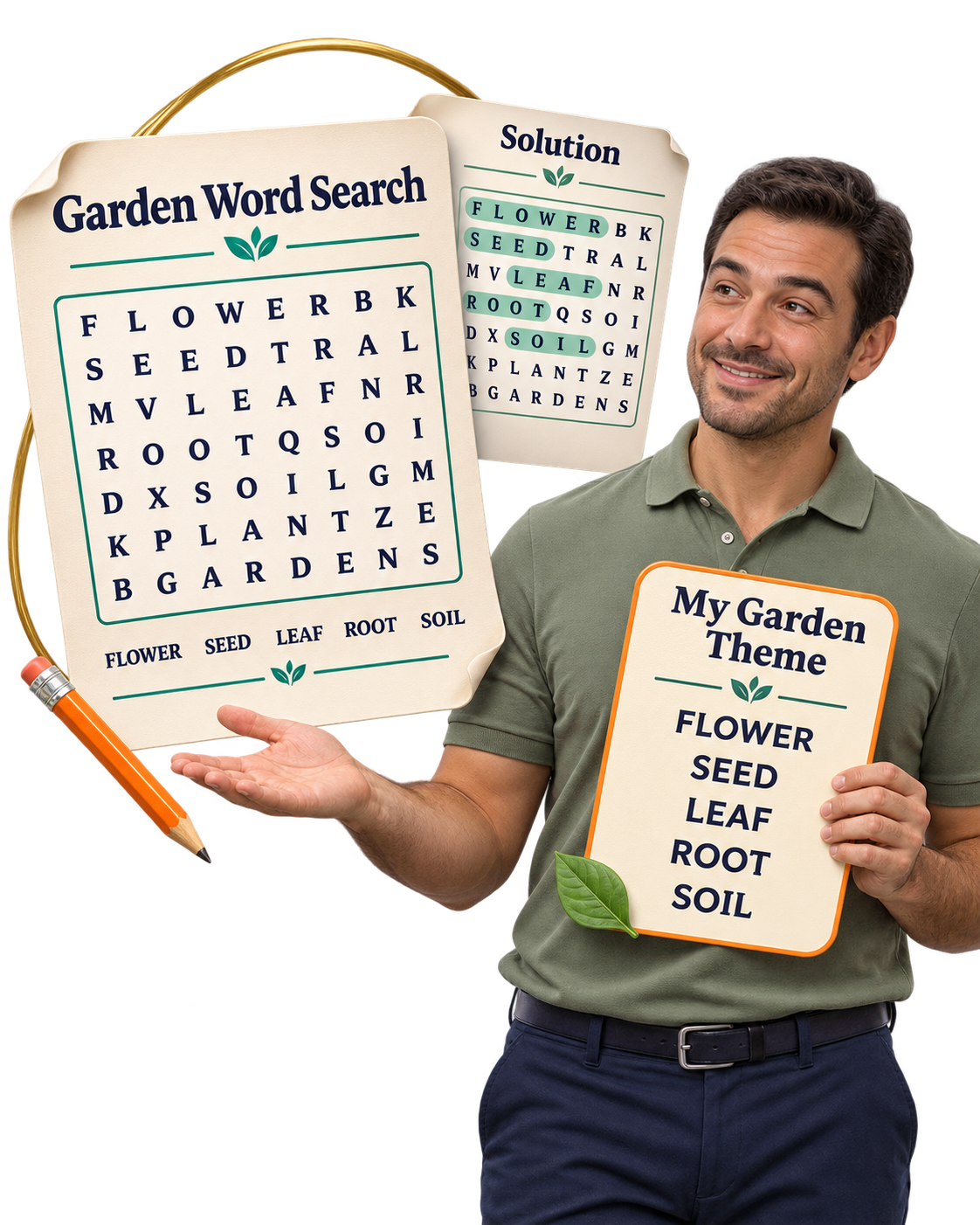
Start With One Familiar Subject.
Choose something you can comfortably write about and check. For a garden word search, begin with FLOWER, SEED, LEAF, ROOT, and SOIL, then complete your list to meet the builder’s requirements.
Pick the Format That Suits Your Idea.
Want an individual challenge? Start with a word search. Preparing a group activity? Explore bingo. Have related facts or definitions? Try matching pairs.
Use the Available Controls to Shape It.
Enter your content, add a title, choose your styling, and inspect the preview. The studio arranges the selected game and creates its supporting pages where applicable.
Try Your First Game on Paper.
Download a PDF and print a sample. Play through it. Check the answers. Your first test gives you something useful to improve—and a saved project you can return to.
No AI Prompts to Learn. No Gemini Key to Set Up.
These game-building features use structured generators and your supplied content. They do not consume AI generation credits.
Give Yourself One Achievable First Project.
One theme. One game. One printable you’ve taken time to check. That’s enough to start learning the workflow and bringing your ideas to life.
You choose and verify the content. Suitability depends on your players’ age, reading level, and needs; the studio does not automatically assess those factors.
Give Your Next Game Idea a Place to Become Playable— for $47.95 One Time.
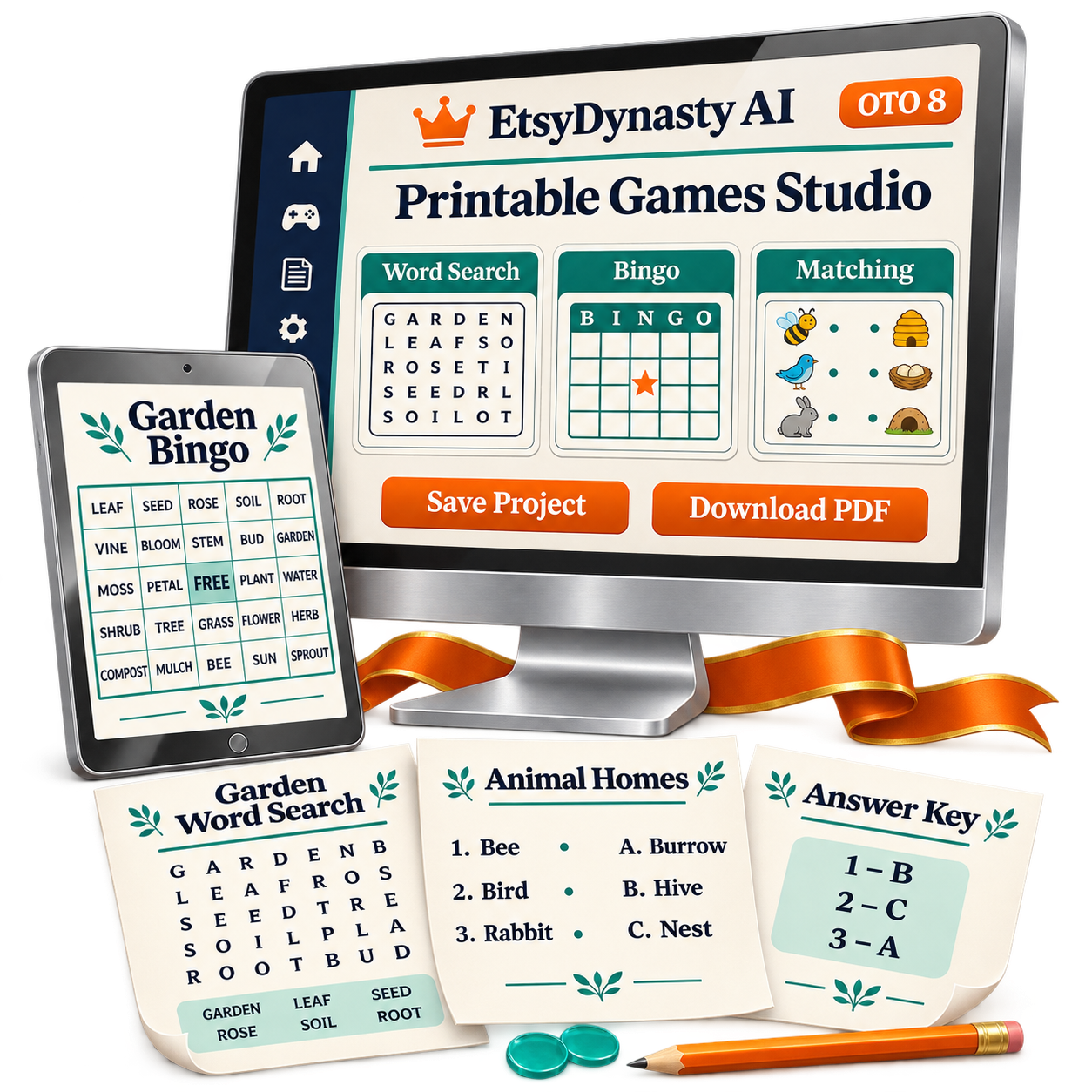
You’ve seen what you can create. Now picture the first activity you’d like to finish.
A themed word search for a quiet afternoon. Bingo for a gathering. A matching game built around a subject you enjoy.
EtsyDynasty AI Printable Games Studio brings the game layouts, personalization controls, supporting pages, and downloads into one workspace. You supply the content. Choose the format. Review the result. Then take it from an on-screen preview to a printed activity.
Here’s What Your Upgrade Includes.
Three Printable Game Formats
Create word searches, bingo cards, and matching activities from your supplied words, terms, or pairs.
Supporting Pages for Each Game Type
Prepare word-search solutions, bingo caller lists, and matching answer keys alongside their corresponding activities.
Titles, Colors, and Typography You Can Personalize
Give your pages a consistent presentation using the available controls.
Live Previews of Your Game Pages
Inspect the activity and supporting materials before downloading.
A4 and US Letter Options
Choose the supported paper size that fits your intended use.
Printable PDF Downloads
Open your game, check its contents, and make a test print.
Complete ZIP Downloads
Keep your PDF, SVG pages, and editable project JSON together.
Saved Projects You Can Reopen
Return to your content, refine the details, and export an updated version.
Creation Without AI Generation Credit Charges
These structured game-building features require no Gemini key and consume no AI generation credits.
Start With One Game You Want to Put Into Someone’s Hands.
You can begin with a familiar theme and a single activity. Work through the preview. Check the answers. Print it and play. Your first finished game gives you something concrete to improve—and a practical starting point for your next idea.
Word Searches • Bingo • Matching Games · Saved Projects • Printable PDFs • Complete ZIP Downloads
Give It a Real Test—with Your Own Game Idea. You Have 30 Days to Decide.
You’ve seen the examples. Now you deserve to know how Printable Games Studio feels when you use it yourself.
Can you turn your word list into an activity you’re happy with? Do the customization controls suit your style? Are the downloaded pages clear and practical when you print them?
Your purchase includes a 30-day money-back guarantee, giving you time to answer those questions through experience.
Try the Workflow From Start to Finish.
Build a game around a subject you enjoy.
Choose a word search, bingo game, or matching activity and supply your own content.
Make the presentation yours.
Personalize the title, subtitle, colors, and typography using the available controls.
Open the files and play through the activity.
Download your PDF or ZIP. Print a sample, check the answers, and review the supporting pages.
Return to your project and refine it.
Reopen your saved work, adjust a detail, and export again.
Decide Whether It Belongs in Your Creative Workflow.
You don’t have to judge the upgrade from screenshots alone. Use it to create something. See what works for you. Make an informed decision.
If It Isn’t the Right Fit, Request a Refund.
Contact our support team within 30 days of purchase to request a refund of your OTO 8 purchase price. Your next game idea deserves a fair try.
Get EtsyDynasty AI Printable Games Studio for $47.95 one time—backed by our 30-day money-back guarantee.
YES! Add Printable Games Studio to My Account — $47.95 →Create your game • Review your downloads • Decide from experience
Your Questions, Answered— Before You Create Your First Game.
✎ Tap a question to open the answer
✎ What can I create with Printable Games Studio?
You can create word searches, bingo cards, and matching games using content you supply. Each format includes appropriate supporting materials, such as word-search solutions, a bingo caller list, or matching answer keys.
✎ Do I need design or puzzle-making experience?
You can begin with the provided game formats and their available controls. The studio handles the layout and arrangement. You choose the content, personalize the presentation, and review the finished activity before use.
✎ Does the studio write the game content for me?
You supply the word list, bingo terms, or matching prompts and answers. The studio uses that content to construct the selected game. It doesn’t automatically research your topic or verify the accuracy of your supplied facts.
✎ Does it require AI credits or a Gemini API key?
No. These game-building features use structured generators and do not consume AI generation credits or require a Gemini key. Other AI features in EtsyDynasty AI have their own requirements and allowances.
✎ Can I personalize the appearance?
Yes. You can change the title, subtitle, available colors, and typography, and choose A4 or US Letter. Game-specific controls vary by format. Customization follows the available settings, rather than a freeform drag-and-drop editor.
✎ Are solutions and answer keys included?
Word searches include a corresponding solution page. Matching games include an answer key. Bingo includes a caller list. Review the activity and its supporting pages together, especially after changing your content or variation settings.
✎ Can I save a game and edit it later?
Yes. Save your project, reopen it, make changes, and export an updated version. You can also download the editable project JSON in the complete ZIP and import it back into the studio.
✎ What files will I receive?
You can download a printable PDF, or a complete ZIP containing the PDF, SVG pages, and editable project JSON. The PDFs are intended for printing and playing on paper. They are not interactive browser games or digitally fillable activities.
✎ Does it publish my games to Etsy or combine separate games into a bundle?
Marketplace uploading is manual. You review your files, prepare your listing, and upload through your own marketplace account. Each game project exports separately. Combining several projects into one product bundle is a separate packaging step.
✎ What does the upgrade cost, and what if it isn’t right for me?
Printable Games Studio is $47.95 one time, with a planned regular price of $137.95. Your purchase includes a 30-day money-back guarantee. Contact support within 30 days of purchase to request a refund of your OTO 8 purchase price if the upgrade doesn’t fit your needs.
Give Your Next Idea a Game People Can Actually Play.
Picture the moment your activity leaves the screen.
Someone picks up a pencil and starts finding words. A group listens for the next bingo term. A player pauses over a matching pair, then makes the connection. It starts with a theme you choose—and content you bring to the page.
EtsyDynasty AI Printable Games Studio gives you a practical way to shape that content into a printable activity, complete with the supporting pages appropriate to its format.
You Bring the Theme. The Studio Helps You Build the Game.
Choose a word search, bingo game, or matching activity. Add your content. Personalize the presentation. Review the pages and their answers. Then save your project and download files you can open, test-print, and refine. Turn “I could make a game about this” into a finished first version you can try.
Your Upgrade Includes:
Three game formats
Word searches, bingo, and matching activities.
Supporting materials
Solutions, caller lists, or answer keys, depending on the game.
Personalization controls
Titles, subtitles, available colors, and typography.
Live previews
Inspect the pages before downloading.
A4 and US Letter options
Prepare your chosen print size.
PDF and complete ZIP downloads
Keep your printable files and editable project JSON.
Saved projects
Reopen your work and improve it later.
No AI generation credit charges
These game-building features require no Gemini key.
Start With One Theme You’d Enjoy Bringing to Life.
You don’t need an entire collection planned. Choose one activity. Give it your attention. Create something you’re ready to print and play.
Choose Your Game • Add Your Content • Preview • Save • Download
P.S. That Game Idea You’ve Been Thinking About Can Start With One Word List.
A favorite hobby. A family occasion. A subject you know well. Choose your theme, supply your content, and give it a playable format.
EtsyDynasty AI Printable Games Studio helps you create word searches, bingo cards, and matching activities—with personalization controls, supporting pages, and files you can download.
Your first goal can be simple: finish one game you’re ready to print and try.
Keep the Project, So You Can Keep Improving It.
A clearer prompt. A better word choice. A different arrangement. Save your game, reopen it, and refine the available details. Download the updated activity and its supporting pages together.
You can build on the work you’ve already done as you learn what makes your game easier to understand and enjoy.
Give the Studio a Try With Your Own Idea.
Your upgrade is $47.95 one time , backed by a 30-day money-back guarantee . Create an activity. Explore the controls. Open your downloads and make a test print.
If the upgrade doesn’t fit your needs, contact support within 30 days of purchase to request a refund of your OTO 8 purchase price. Choose it because creating printable games fits your plans—and decide from experience.
Take Your Next Game From an Idea to a Printable You Can Play.
EtsyDynasty AI Printable Games Studio — $47.95 One Time
Word Searches • Bingo • Matching Games · One-time upgrade payment • 30-day money-back guarantee
No Thanks, I Want To See Event Stationery Studio