
One Event. One Beautiful Design. An Entire Matching Stationery Collection!Create Stunning Invitations, RSVP Cards, Place Cards & Thank-You Cards — All Beautifully Coordinated in Minutes!
Stop Designing Every Piece From Scratch. Start creating complete, personalized event stationery collections with one powerful creative workspace. Whether it’s a wedding, birthday, anniversary, baby shower, or special celebration, great stationery is about more than one attractive invitation — it’s a complete, matching collection that makes every detail feel thoughtfully designed.
Four Matching Pieces, One Workspace
Create a coordinated look, customize the details, then preview, save and export supported printable formats.
From One Creative Concept to a Complete Coordinated Collection
- Design Beautiful Invitations — personalized with names, dates, venues, and occasion details.
- Create Matching RSVP Cards — keep response cards consistent with the main invitation.
- Personalize Elegant Place Cards — coordinated with guest names and event details.
- Finish With Matching Thank-You Cards — a polished, consistent collection.
- Customize Colors, Fonts & Layouts — personalize available design elements for each celebration.
- Preview, Save & Export — review your collection and download supported printable formats.
Turn One Beautiful Event Idea Into an Entire Matching Stationery Collection!
Create Stunning Invitations, RSVP Cards, Personalized Place Cards & Thank-You Cards — All From One Powerful, Easy-to-Use Design Studio!
Why Spend Hours Designing Every Stationery Piece Separately When You Can Create a Beautifully Coordinated Collection in One Place?
Introducing EtsyDynasty AI Event Stationery Studio — your dedicated creative workspace for designing personalized stationery for weddings, birthdays, baby showers, anniversaries, and other special celebrations.
Choose a style, customize your event details, coordinate your designs, and prepare printable stationery files without starting every piece from scratch.
✦ One Creative Studio. Multiple Matching Stationery Designs.- Create Eye-Catching Invitations — Personalize beautiful invitations with names, dates, venues, and event details.
- Design Matching RSVP Cards — Keep every response card consistent with your main invitation.
- Build Personalized Place Cards — Add guest names and create coordinating table stationery.
- Complete the Set With Thank-You Cards — Give every collection a polished, unified appearance.
- Customize Your Designs — Adjust available colors, fonts, wording, and design details to match different celebrations.
- Preview, Save & Export — Review your work, save projects, and download supported printable files.
- No Additional AI Generation Credits Required — Use the included template-based stationery tools without extra AI credit charges.
Instead of switching between multiple designs and repeatedly rebuilding layouts, create a consistent look across your entire collection.Beautifully coordinated. Easy to personalize. Ready for your final review and printable export.
Add a Complete Event Stationery Design Workspace to Your EtsyDynasty AI Account!
Get access to customizable invitations, matching RSVP cards, personalized place cards, coordinated thank-you cards, live previews, saved projects, and supported printable exports.
YES! Unlock My Event Stationery Studio for Just $67.95 →This is an optional digital software upgrade. No physical stationery, printing, shipping, or guaranteed sales results are included. Review and test-print designs before commercial use. The regular price shown is a planned price, not a claim of previous sales at that amount.
The Invitation Looks Right. Now Make the Rest Feel Like It Belongs.

You’ve found a style you love for the invitation.
Then you turn to the RSVP card. The thank-you note. The place cards.
A different font slips in. One color looks slightly off. A heading feels too large beside the other pieces.
What began as one creative idea becomes several separate designs to bring together.
You want every piece to feel connected—and you still need to check the names, dates, venue details, and wording.
Start With a Coordinated Design.
EtsyDynasty AI Event Stationery Studio brings invitations, RSVP cards, thank-you cards, and place cards into one template-based project. Choose an available style, add your details, and review how the collection comes together.
Give the Occasion a Consistent First Impression.
Start with an invitation that introduces the event, then carry the selected style into its companion pieces. Let the collection feel connected from the moment guests open the invitation.
Bring the Important Details Into Focus.
Enter the supported event information, including the date, time, venue, host, and RSVP details. Keep your attention on clear wording and accurate information while the templates provide the structure.
Carry Your Colors and Typography Across the Set.
Choose from the available styling options to shape the collection’s appearance. Give the invitation and smaller cards a shared visual identity.
Review Every Piece Before Printing.
Move through the live preview to inspect the individual cards. Check names, wording, spacing, and the overall look. Save your project so you can return to it when a detail needs changing.
Make the Small Details Feel Like Part of the Bigger Occasion.
An invitation welcomes. An RSVP card helps guests respond. A place card adds a personal touch. A thank-you card closes the celebration thoughtfully. Bring them together with a style you’ve chosen—and details you’ve taken time to review.
Customization follows each template’s available controls. Check every exported piece and make a test print before use or sale.
Four Thoughtful Pieces. One Celebration That Feels Connected.
Every piece of event stationery has a different job.
The invitation introduces the occasion. The RSVP card explains how to respond. A place card welcomes someone by name. The thank-you card carries your appreciation beyond the day itself.
EtsyDynasty AI Event Stationery Studio helps you prepare those pieces as a coordinated collection—with a shared style and details you can personalize.
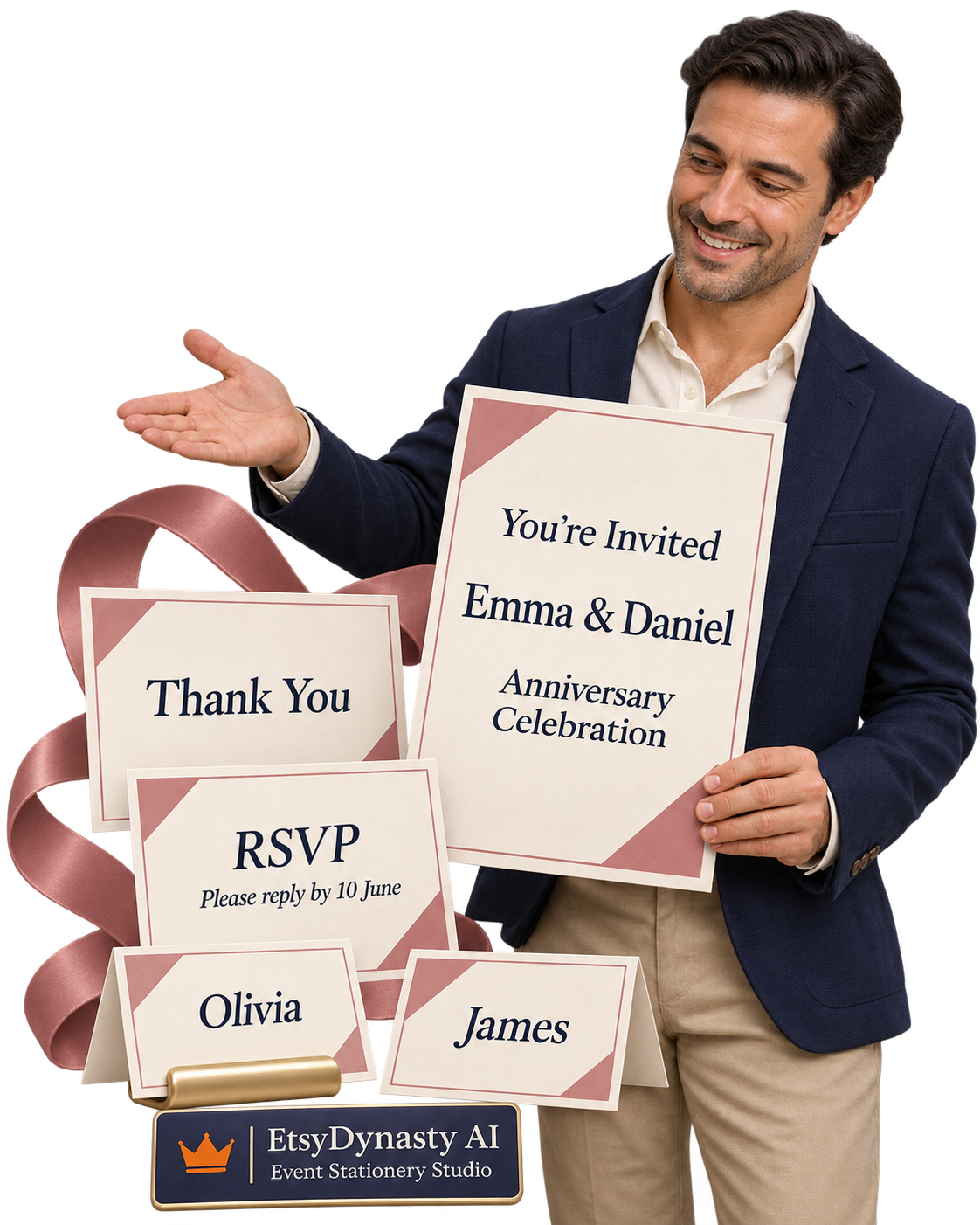
The Invitation: Make the Occasion Clear.
Give guests the information they need to understand what’s happening, when to arrive, and where to go. Use the supported fields for your title, event date, time, venue, and host information.
For example:An anniversary celebration invitation with the couple’s names, the gathering time, and the venue address.
Bring the welcome and the practical details onto one carefully reviewed page.
The RSVP Card: Give Guests a Clear Next Step.
Carry the invitation’s style into a matching response card. Add the supported RSVP wording and contact details, then check that the response instructions are easy to understand.
For example:“Please reply by 10 June” with the host’s chosen contact information.
Help guests understand how to respond while keeping the presentation consistent.
The Place Cards: Add a Personal Welcome.
Enter your guest names to prepare individual place cards within the selected design. Review each name before downloading and printing.
For example:Matching cards for Olivia, James, and Amelia, styled to complement the invitation.
A small piece of stationery can make the setting feel more personal.
The Thank-You Card: Carry the Thoughtfulness Forward.
Complete the set with a thank-you design that shares its colors and typography. Review the available wording and the finished layout alongside the other pieces.
For example:A coordinated “Thank You” card to accompany your message after the celebration.
Give the collection a considered finish.
See the Whole Set—and Check Each Piece.
Move through the individual previews to inspect the wording, spacing, names, and overall appearance. Save your project so you can return to it before exporting the final files.
You’re Creating a Collection Where Every Piece Has a Purpose— and Every Detail Deserves a Check.
Make the Collection Feel Personal— Before You Print a Single Piece.
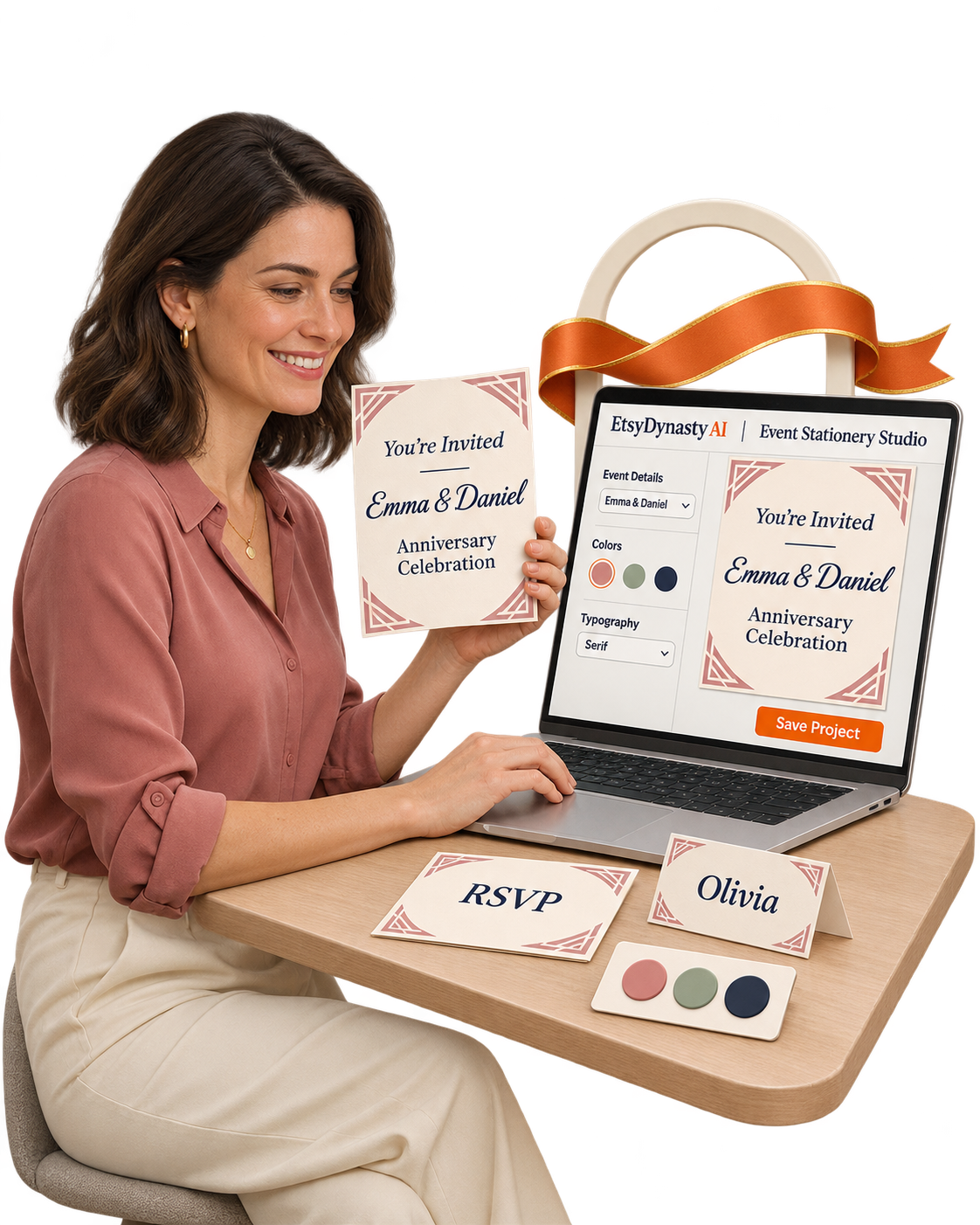
The layout gives you a starting point. Your details make it belong to the occasion.
The names at the center of the celebration. The date guests will remember. The venue where everyone will gather.
Then come the visual choices: a softer color, a different typeface, a heading that feels right.
EtsyDynasty AI Event Stationery Studio brings those decisions into a workflow you can preview as you go.
Choose the Style That Sets the Tone.
Explore the available template styles and select a starting design that suits your occasion. Begin with a coordinated structure for the collection, then personalize it through the available controls.
Add the Details That Make It Yours.
Enter your title, subtitle, and supported event information, including the date, time, venue, host, and RSVP details.
For example,turn a general celebration template into an anniversary invitation with the couple’s names and gathering details.
Give the design a specific purpose and guests the information they need.
Bring the Colors and Typography Together.
Choose from the available color and typography options. See how those choices affect the invitation and companion pieces, then refine the combination. Create a consistent look that supports the wording and keeps it readable.
Check the Small Pieces, Too.
Move through the preview to inspect the RSVP card, thank-you card, and personalized place cards. A name that looks comfortable on an invitation may need a closer look on a smaller card. Review each piece at its own scale before exporting.
Save a Version You Can Return To.
Save your project when you’re ready. If the time changes or a guest name needs correcting, reopen it, update the details, and export again. Keep your preparation moving without losing the work you’ve already done.
Watch the Occasion Take Shape, One Detail at a Time.
Choose the style. Add the information. Review the collection. Save and download. You stay in control of the wording and presentation, with previews that help you make each decision.
Plans Can Change. Keep a Stationery Project You Can Change With Them.
The design feels right. Then one detail needs updating.
The gathering starts a little later. The venue wording changes. A guest’s name needs correcting.
You’ve already put care into the collection—and you want to carry that work forward.
EtsyDynasty AI Event Stationery Studio lets you save your project, reopen it, and revise the supported details before exporting again.
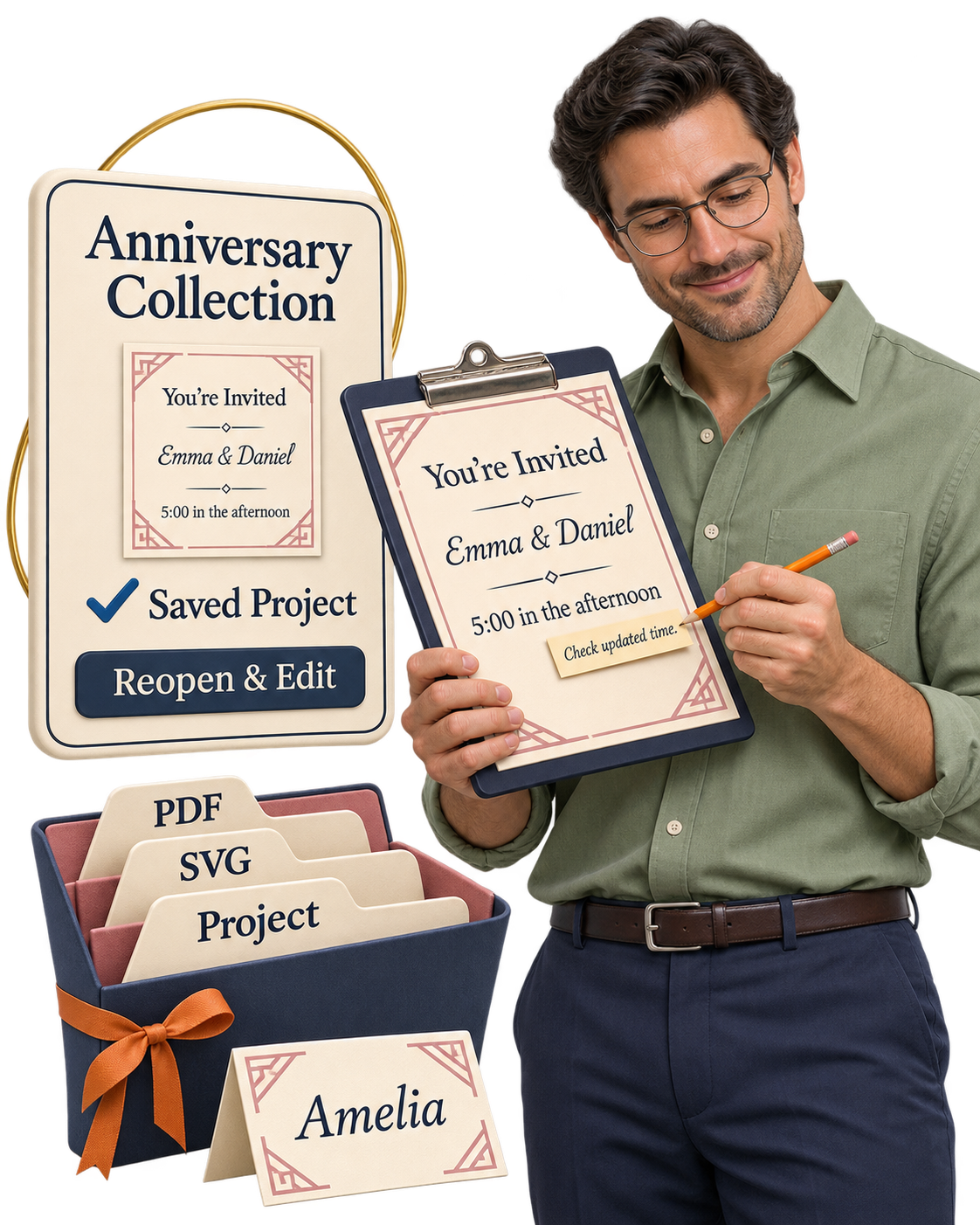
Save the Collection You’ve Worked On.
Keep your selected style, personalized wording, and event details in a saved project. Return to your preparation with a clear starting point when you’re ready to continue.
Update the Details That Matter.
Reopen the project to adjust the available event fields or guest names.
For example,change an arrival time from “4:00 in the afternoon” to “5:00 in the afternoon,” then inspect the affected pieces.
Make the correction in your project and review how it appears before downloading.
Check Every Name Before It Reaches the Table.
Look through the place-card previews and compare the names with your guest list. Check spelling, punctuation, and how longer names fit the layout. Give the smallest pieces the same attention as the invitation.
Keep Printable Output and Editable Files Together.
Download the complete ZIP with printable PDFs, separately editable SVG files, and your project JSON. Keep the project JSON for importing back into the studio. SVG files can be edited separately in compatible software.
Choose the file that fits your next step, whether you’re reviewing a print or returning to the design.
A Saved Project Gives You Room to Refine.
Print a sample. Read it closely. Check the spacing and details. If something needs adjusting, return to the project and export an updated set. Your first download can be a useful proof—and your next one can reflect the improvements you’ve made.
“I Know the Look I Want. But I’m Not a Stationery Designer.”
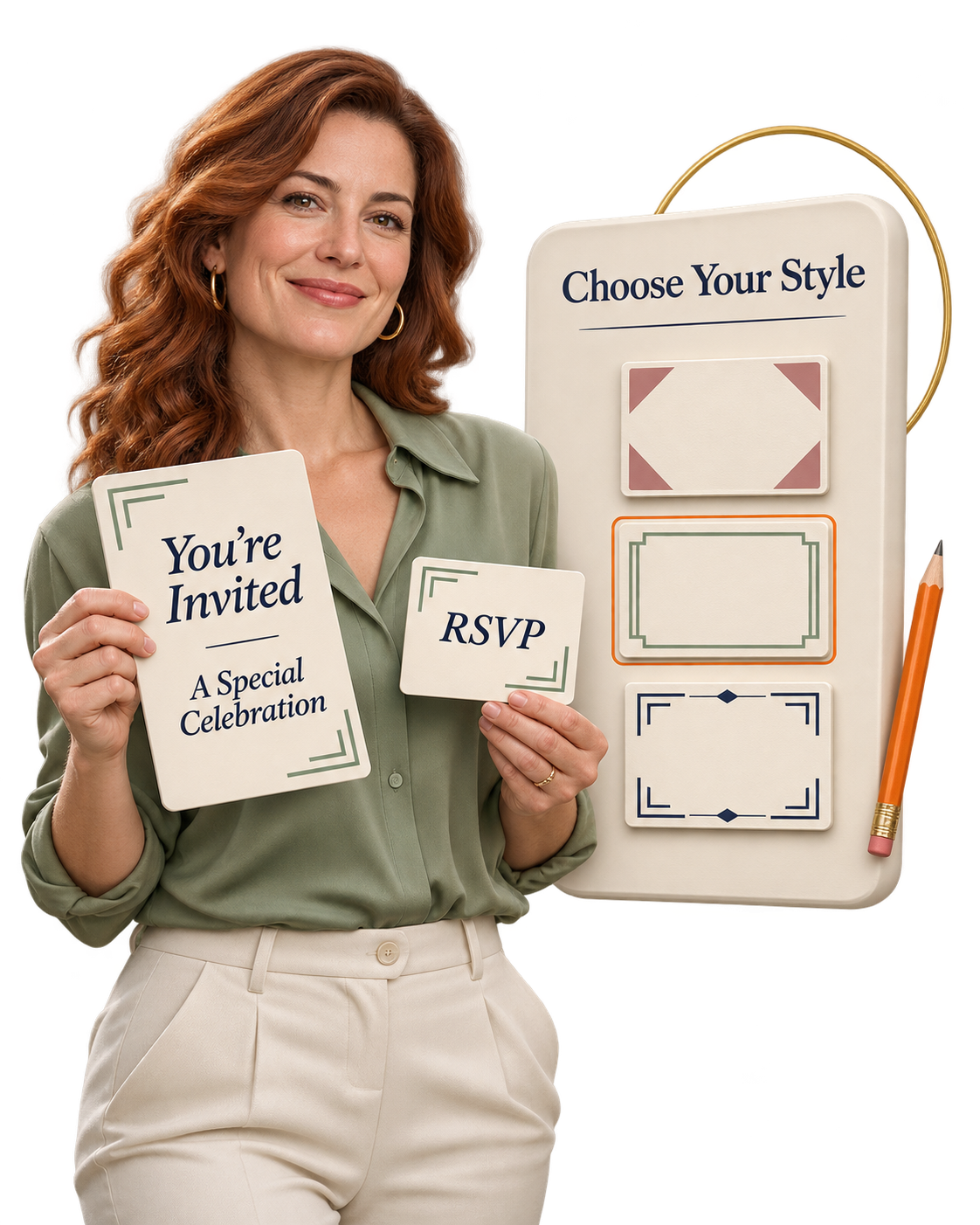
You can picture the occasion.
A warm anniversary gathering. A birthday celebration. A simple dinner where every guest feels welcome. You know the names, the details, and the feeling you want the stationery to convey.
What makes you hesitate is bringing it all onto the page.
“Which fonts belong together?”
“How do I make the smaller cards match?”
“Will the wording fit?”
Start With a Design That Gives You Direction.
EtsyDynasty AI Event Stationery Studio provides coordinated templates and a focused set of personalization controls. Choose an available style, enter your details, and review the individual pieces as your collection takes shape.
Begin With One Occasion.
Start with an event you can describe clearly. For example, prepare an anniversary collection using the names, date, venue, and response information you already have. Give your first project a clear purpose before choosing its finishing touches.
Choose a Coordinated Starting Style.
Explore the available designs and select the one closest to your idea. The templates provide the arrangement for the invitation and companion pieces. You can focus on personalizing the collection without positioning every text box yourself.
Make a Few Thoughtful Choices.
Add your wording. Choose an available color and typography option. Enter the guest names you need for place cards. Small, consistent choices can give the whole set a considered appearance.
Let the Preview Guide Your Review.
Inspect each piece for readability, spacing, and accurate details. Then download a sample and check it on paper before preparing the final set. You have a practical way to see what works—and return to the project when something needs adjusting.
No AI Prompts to Master. No Gemini Key to Configure.
These stationery-building features are template-based and do not consume AI generation credits. Open the studio, choose a starting design, and work through the available controls at your own pace.
Your First Goal Can Be One Collection You Feel Proud to Finish.
One occasion. A consistent style. Details you’ve checked carefully. That gives you a manageable place to begin.
Turn “I’d Love to Create That” Into a Coordinated Stationery Collection— for $67.95 One Time.
You can already picture it: an invitation that sets the mood, an RSVP card that belongs beside it, place cards that carry the same style, and a thank-you card that brings everything together.
EtsyDynasty AI Event Stationery Studio gives you a practical place to create that collection.
Choose a starting style. Add your occasion’s details. Adjust the available colors and typography. Preview each piece, save your project, and download the files when you’re ready.
From the first invitation to the final thank-you, your collection can feel like it was designed to belong together.
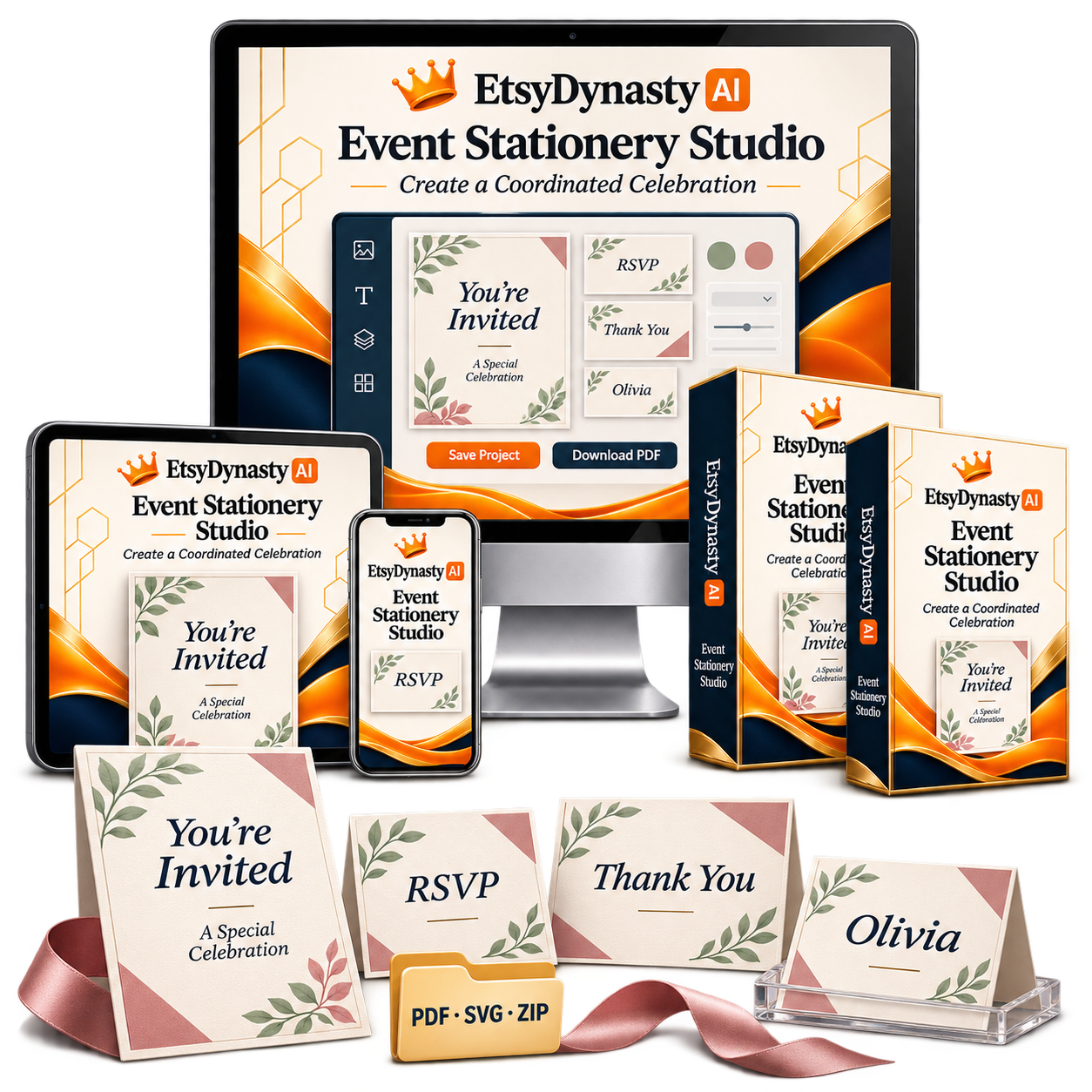
Here’s What Your Upgrade Brings Into Your Workspace.
Four coordinated stationery formats
Create invitations, RSVP cards, thank-you cards, and place cards with a consistent visual direction.
Personal details that make the occasion yours
Work with the available fields for event dates, times, locations, hosts, RSVP information, and guest names.
Style choices you can see before downloading
Explore the available templates, color choices, and typography while reviewing your live previews.
Saved projects you can return to
Keep your work accessible so you can reopen a project, make changes, and export an updated version.
Printable PDFs and editable project files
Download printable PDFs or a complete ZIP containing PDF, SVG, and project JSON files. Reopen the project JSON in the studio; use compatible software for further SVG editing.
Template-based creation without AI generation credits
These stationery tools do not require a Gemini API key or consume AI generation credits.
Give Your Next Occasion a Collection Worth Bringing Together.
Start with one celebration. Personalize the details. Review every piece. You choose the occasion. The studio gives you a structured way to prepare the stationery.
Coordinated templates • Saved projects • Printable PDF and ZIP downloads
See Your Own Celebration Take Shape— With 30 Days to Decide.
A preview can show you the possibilities. Working on your own project tells you whether the studio fits your needs.
That’s why your EtsyDynasty AI Event Stationery Studio upgrade includes a 30-day money-back guarantee.
Choose an occasion you care about. Add the details. Explore the available styles. Create a coordinated set you can review for yourself.
Give It a Practical Try.
Create your first collection.
Start with an invitation, then review the matching RSVP, thank-you, and place-card designs.
Make it feel personal.
Add your event information and guest names. Adjust the available colors and typography to suit your occasion.
Put the downloads to the test.
Save your project, download the PDF or complete ZIP, and inspect your files. Print a sample if you’d like to check the result on paper.
Decide from experience.
Does the workflow feel manageable? Do the templates suit your needs? Can you see yourself returning to create another collection? You have time to answer those questions with your own project.
If It Isn’t the Right Fit, Request a Refund Within 30 Days of Purchase.
Contact our support team using the details provided with your purchase and request your refund. You don’t have to judge the upgrade from a sales page alone.
Your Occasion. Your Creative Choices. Time to Decide for Yourself. Get Event Stationery Studio for $67.95 One Time.
YES! Add Event Stationery Studio to My Account — $67.95 →30-day money-back guarantee • Printable downloads • Saved projects
A Few Questions Before You Create Your First Coordinated Collection.
✎ Tap a question to watch the answer get written
1 What exactly is Event Stationery Studio?
It’s an optional EtsyDynasty AI upgrade for creating coordinated invitations, RSVP cards, thank-you cards, and place cards using editable templates.
Choose a style, personalize the available details, preview your stationery, and download your finished files.
2 Do I need design experience?
You can start with the included layouts and use the available controls for wording, colors, and typography.
The templates provide a starting point, while live previews help you review your choices. You remain responsible for checking spelling, event details, and the final layout.
3 What occasions can I create stationery for?
You can adapt the available templates for occasions such as birthdays, anniversaries, weddings, and dinner celebrations.
Choose a style that suits your occasion and personalize the supported fields. The studio uses its included layouts rather than generating a completely new design from a prompt.
4 What details can I personalize?
Depending on the stationery piece, you can work with fields for titles, subtitles, event dates and times, venue details, host information, RSVP contact details and deadlines, and guest names.
You can also select from the available color and typography options.
5 Do I need a Gemini API key or AI credits?
No. Event Stationery Studio uses template-based creation. Its stationery tools do not require a Gemini API key or consume AI generation credits.
6 What files can I download?
You can download a printable PDF or a complete ZIP package containing PDF, SVG, and project JSON files.
The SVG files support further editing in compatible software. The project JSON lets you reopen the project in the studio.
7 Can I save my work and change it later?
Yes. Save your project, reopen it, update the available details, and download a revised version.
Changes to your saved project do not automatically update files you previously downloaded—you’ll need to export again.
8 Are the PDFs fillable, and does the studio handle printing or RSVPs?
The PDFs are designed for printing; they are not interactive, fillable forms.
Printing and delivery are separate. RSVP cards display the response instructions you provide, but the studio does not collect or manage guest responses online. Check your printer’s requirements and print a sample before producing a full set.
9 Will it automatically publish my stationery to Etsy?
No. The studio prepares your stationery files. You review them and manually create or update your marketplace listing.
Your marketplace account, product eligibility, listing information, fees, and customer responsibilities remain separate.
10 How much is the upgrade, and is there a guarantee?
Event Stationery Studio is $67.95 as a one-time upgrade payment.
Your purchase includes a 30-day money-back guarantee. If it isn’t the right fit, contact support using the details provided with your purchase to request a refund within 30 days.
Your Next Celebration Starts With an Idea. Give It a Collection That Brings It Together.
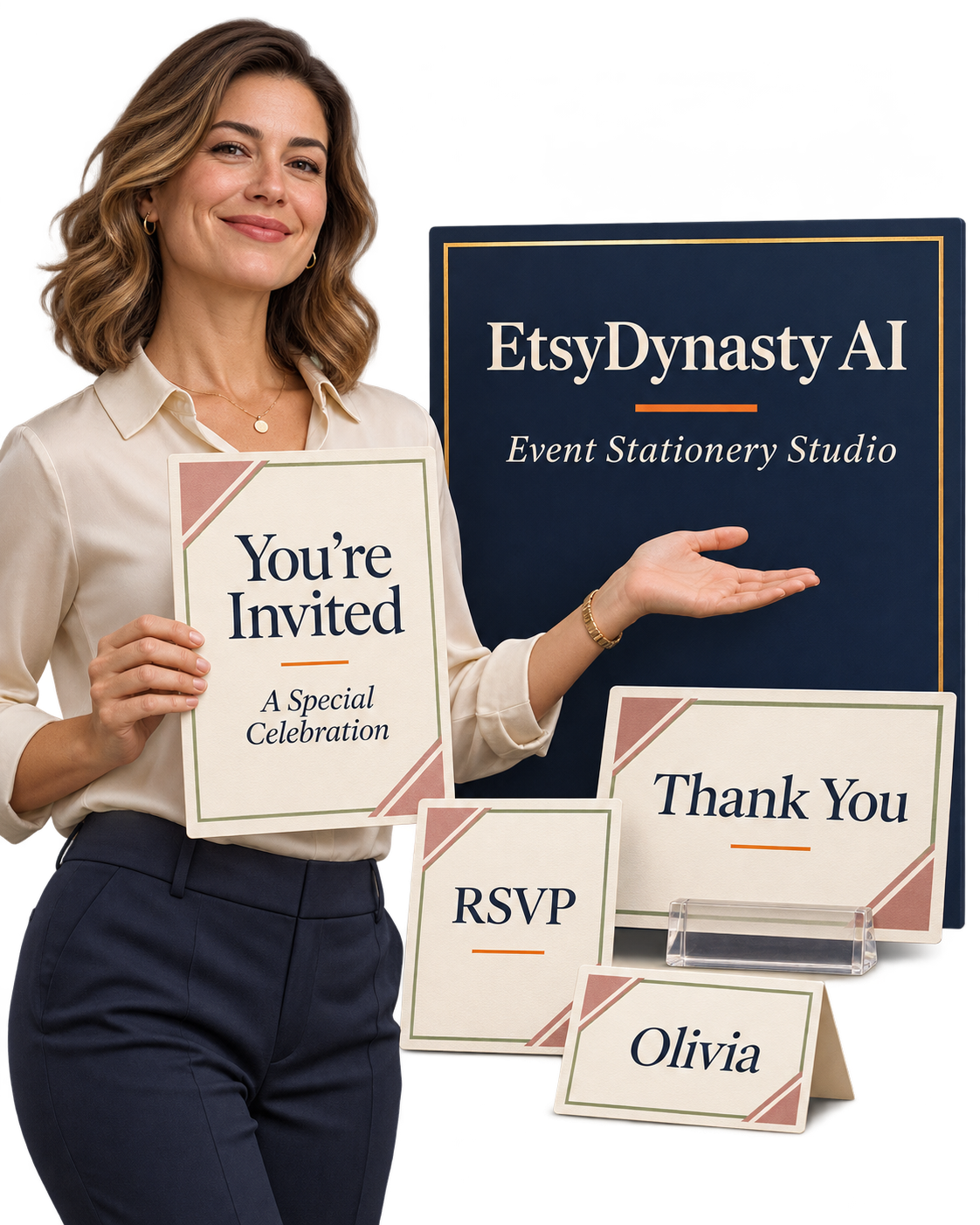
An invitation sets the mood. An RSVP card makes the next step clear.
A place card adds a personal welcome. And a thank-you card carries that thoughtfulness beyond the occasion.
Together, those small details create a collection that feels considered from beginning to end.
With EtsyDynasty AI Event Stationery Studio, you have a place to bring those pieces together—using coordinated templates, your event information, and styles you can preview before downloading.
Start With the Occasion You Already Have in Mind.
You don’t need every detail finalized to begin. Choose a starting style. Add the information you know. Explore the available colors and typography. Save your project so you can return when you’re ready. Your first goal can be simple: one collection you’re proud to review, download, and prepare for printing.
Make These Tools Part of Your Creative Workspace.
Four coordinated formats
Invitations, RSVP cards, thank-you cards, and place cards that share a consistent visual direction.
Personalization controls
For the available event details, wording, and guest names.
Live previews
Help you check each piece.
Saved projects
Reopen and revise whenever a detail changes.
PDF and complete ZIP downloads
Including SVG and project JSON files.
No Gemini key or AI credits
Template-based creation without AI generation credits.
Optional upgrade • Saved projects • Printable downloads • 30-day money-back guarantee
P.S. That Occasion You’re Thinking About Is a Good Place to Start.
You don’t need a calendar full of events or a complete stationery collection planned out.
Start with one celebration. One style you like. One invitation you want to make personal.
EtsyDynasty AI Event Stationery Studio helps you carry that style across invitations, RSVP cards, thank-you cards, and place cards—with previews to review and a saved project you can return to.
Your idea gets a practical starting point. Your collection gets a consistent look.
Make Something of Your Own Before You Decide.
Your 30-day money-back guarantee gives you time to explore the templates, personalize a project, and inspect your downloads.
Try the workflow with real event details. Check the exported files. Print a sample if you choose.
If the upgrade isn’t right for you, contact support within 30 days of purchase to request a refund.
The Details Make It Personal. You Bring Those.
The names. The occasion. The words that welcome your guests.
The studio provides the templates and editing controls. You give the collection meaning.
Choose your starting style, make it yours, and prepare a coordinated set for your next occasion.
Add Event Stationery Studio for $67.95 One Time.
Planned regular price: $297.95
Four coordinated formats, live previews, saved projects, and printable PDF and ZIP downloads.
One-time upgrade payment • 30-day money-back guarantee
Take Your Next Celebration From an Idea to a Collection That Feels Connected.
EtsyDynasty AI Event Stationery Studio — $297.95 $67.95 One Time
One-time upgrade payment • 30-day money-back guarantee
Digital software upgrade. Printing, delivery, and marketplace publishing are separate. Review all event details and exported files before use.